Skip to content

⛵ KeelThe missing platform layer for AWS

Provision, deploy, and operate your app in your own AWS account.

$keel init# describe your app in keel.yml$keel up# provision it on your own AWS$keel deploy# build, migrate, ship

Provision, deploy and observe in your terminal

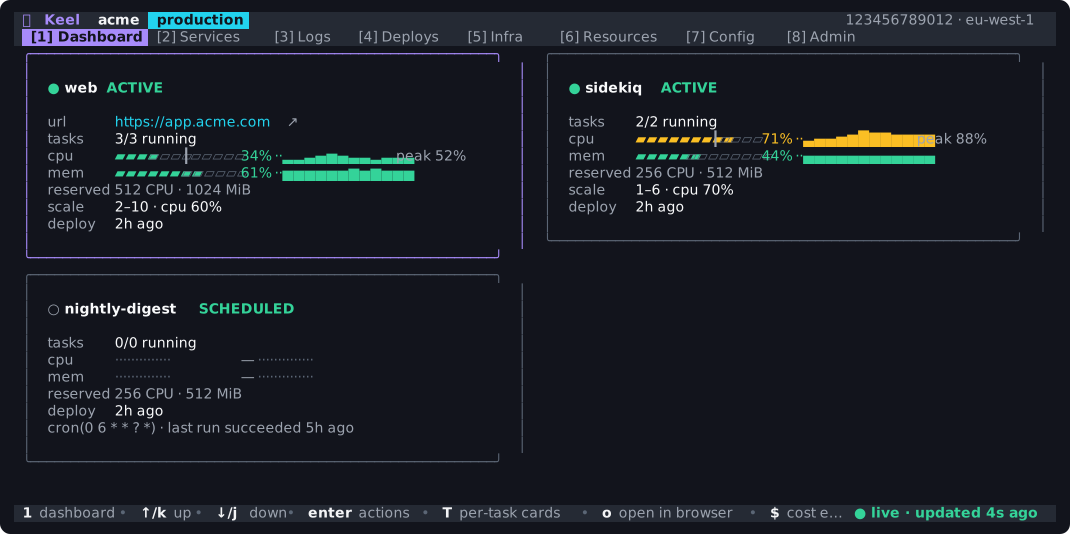
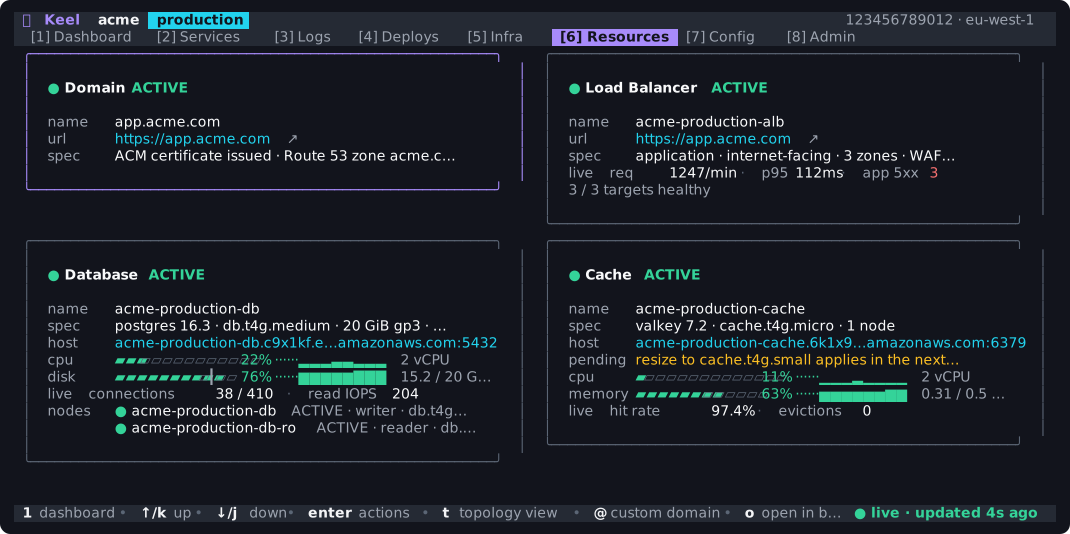
keel dashboard reads live AWS state — ECS, RDS, ElastiCache, CloudWatch, SSM — and lets you provision, deploy and scale your services.

The Keel dashboard: service cards for web, sidekiq and a scheduled task with live gauges and sparklines

See what is running, how hard it is working, and when it was last deployed.

One configuration. The full application lifecycle.

From keel.yml to a running application

The same application model drives infrastructure, deployments, access, and day-to-day operations. These are the pieces Keel connects.

01 / Configure

Describe services, not an AWS resource graph

Name the processes your application runs and the resources they need. Keel derives the AWS topology and keeps it reviewable as your app grows.

  • Web services, background workers, and scheduled jobs
  • Managed databases, caches, static sites, domains, and WAF
  • Health checks, release commands, and scaling in the same file
Explore keel.yml →
keel.yml
name: acme

services:
  web:
    type: web
    port: 3000
    health_check: /up
    desired_count: 2
  sidekiq:
    type: worker
    command: ["bundle", "exec", "sidekiq"]

release: bundle exec rails db:migrate

database:
  engine: postgres
  version: "16"

02 / Provision and deploy

Review the infrastructure, then ship your app

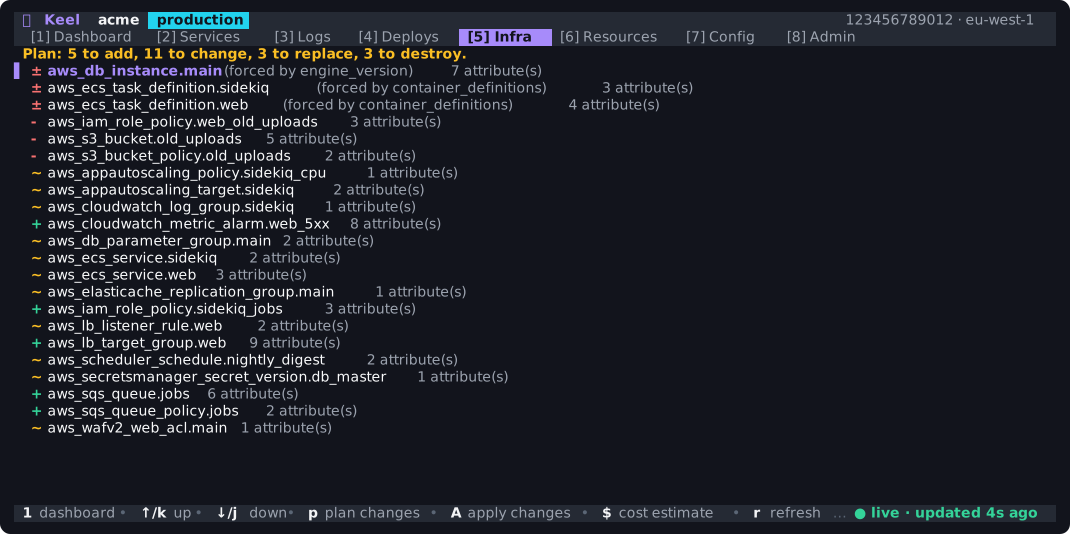
Keel uses industry-standard infrastructure as code under the hood, turning keel.yml into a reviewable AWS plan—without weeks spent writing and reconciling configuration. A deployment then builds the image, runs any release command, and deploys your app.

  • See additions, updates, and replacements before anything changes
  • Deploy, scale, and inspect logs from one CLI and dashboard
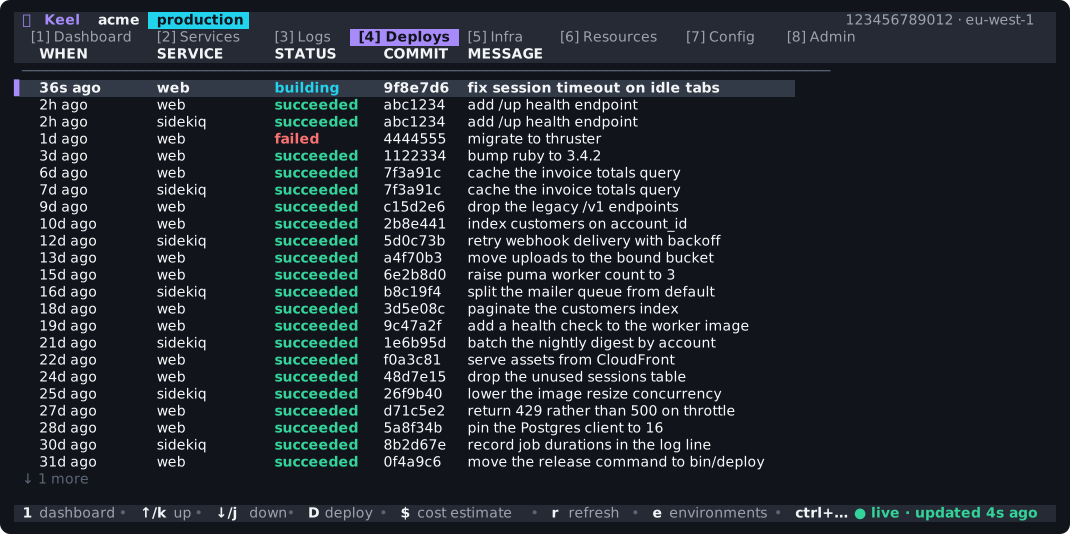
  • Deploy locks, history, live progress, and rollback are built in
terminal
$ keel plan
# review every proposed AWS change

$ keel up
# provision the approved infrastructure

$ keel deploy --watch
# build → release → promote

$ keel rollback web
# restore the previous revision

03 / Connect resources

Give each service only the AWS access it needs

Declare a managed or existing resource once, then bind it to the services that use it. Keel writes the IAM and network rules.

  • Scoped capabilities for S3, SNS, SQS, RDS, cache, and IAM roles
  • A separate task role and security group for every service
  • Resource identifiers and secrets injected into the container
See resources and bindings →
keel.yml
resources:
  uploads:
    type: s3
    create:
      versioning: true

services:
  web:
    bindings:
      - resource: uploads
        access: [list, read, write]
        prefix: user-content

04 / Operate as a team

Use live AWS state without sharing admin credentials

IAM team members use short-lived MFA sessions. Operators can instead receive per-capability access without a general-purpose AWS key.

  • MFA-protected admin, developer, and viewer roles
  • Operator grants scoped by app and environment
  • Allowed and denied decisions recorded by the account-local control plane
terminal
$ keel auth team add [email protected] developer
# create MFA-gated developer access

$ keel dashboard
# inspect live AWS state

$ keel logs web -f
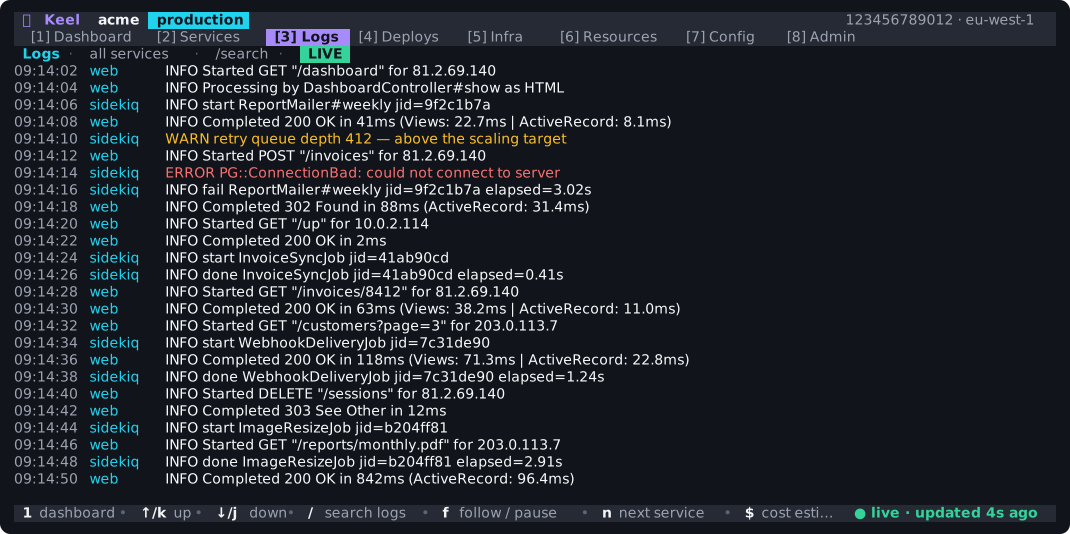
# follow production logs

$ keel cost
# estimate the monthly baseline

Free at the foundation

Start with everything you need for production

Add team workflows and governance when you need them. From Free to Enterprise, every resource Keel creates stays in your AWS account—not on a third-party platform.

01Available now

Free

Run production

Provision, deploy, and operate real applications in your own AWS account.

  • Infrastructure, deploys, and rollback
  • Dashboard, logs, exec, and tunnels
  • Staging and production environments
  • MFA-protected access for up to three people
03Coming soon

Enterprise

Enforce policy at scale

Extend Pro with delegated identity, server-enforced change control, and stronger audit guarantees.

  • Federated identity and SCIM
  • Enforced approvals and deploy windows
  • Segregated, tamper-resistant audit records
  • Brokered database sessions

No lock-in

Keel is a tool, not a hosted platform or runtime dependency.

Everything Keel provisions is ordinary AWS: ECS, RDS, ElastiCache, CloudFront, IAM, VPC networking, and CloudWatch. Your application keeps running without Keel.

See what Keel creates →

How does Keel compare?

Keel combines the control of infrastructure tools with the simplicity of a hosted application platform. You get a focused model for deploying apps while your infrastructure, credentials, data, and bill stay in your AWS account.

  • Hosted application platforms (PaaS)
    Get an application-level workflow while your resources, data, and bill remain in your AWS account.
  • Kubernetes
    Run a common web application stack without operating a cluster, control plane, or add-on ecosystem.
  • Infrastructure as code
    Get repeatable, reviewable infrastructure without writing and maintaining complex modules, policies, or deployment scripts.
  • Server deployment tools
    Use managed Fargate and RDS instead of maintaining hosts, SSH access, and database containers.
See how Keel compares →

Keel — the missing platform layer for AWS.